 SwiftLocker
End-to-end encrypted iCloud sync for your vault
Your private photos should outlive your iPhone. SwiftLocker can keep your vault in its own private space in your iCloud. Every file is encrypted on your device before it leaves, and the sync is end-to-end encrypted. There's no account to create. It's for anyone who would hate to lose what's in their vault. iCloud sync comes with SwiftLocker Premium.
How it works
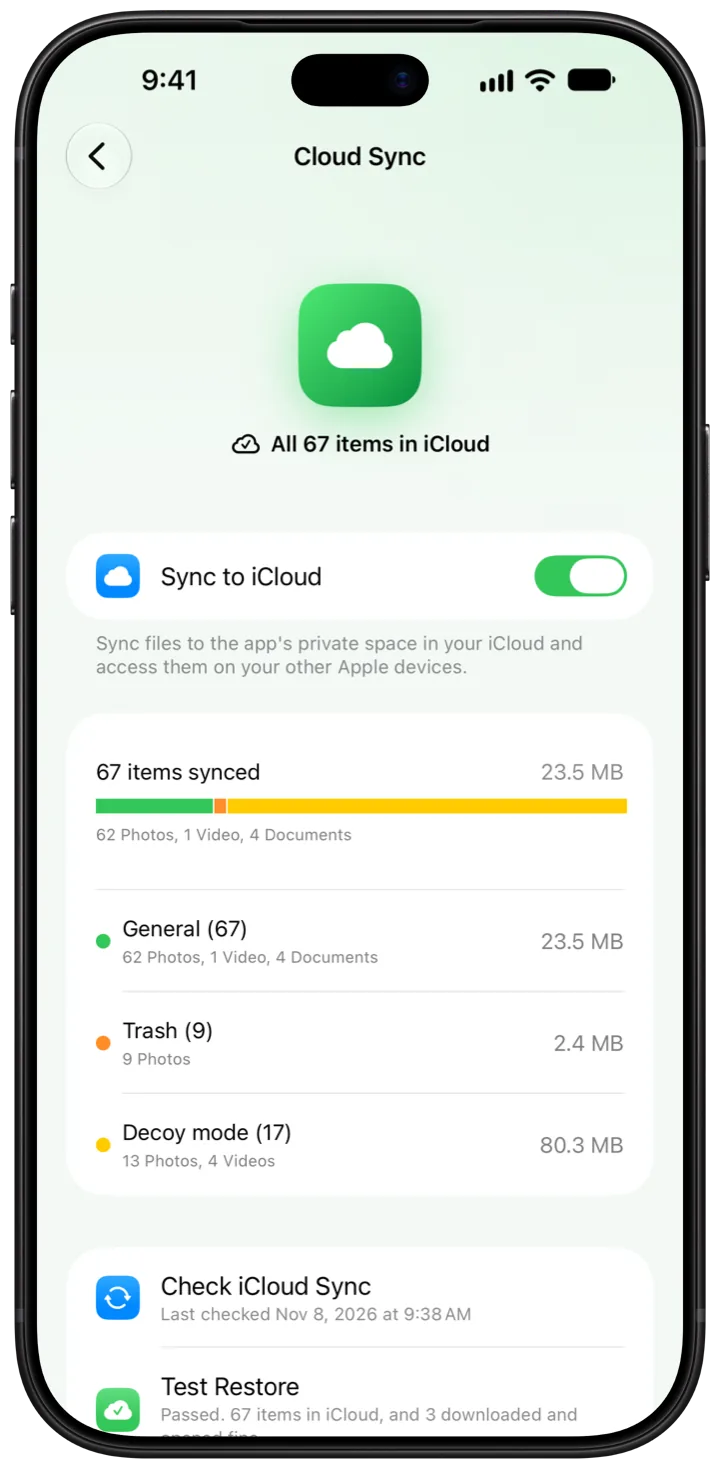
- Open Settings › Cloud Sync and turn on Sync to iCloud.
- Keep SwiftLocker open for the first sync. Large syncs finish faster on a strong network, with Low Power Mode off and enough battery.
- Check the line at the end of Home. Once it says something like All 67 items in iCloud, everything has a copy.
- Tap Test Restore in Cloud Sync. It checks that every item is in iCloud, then downloads a few and opens them.
- On a new iPhone or an iPad with the same Apple Account, install SwiftLocker and set your PIN. When it says Your vault is in iCloud, tap Restore from iCloud.
Good to know
- Encrypted before it leaves. Files are encrypted on your iPhone before they upload. Their names, dates and folders go up end-to-end encrypted too. We never receive them.
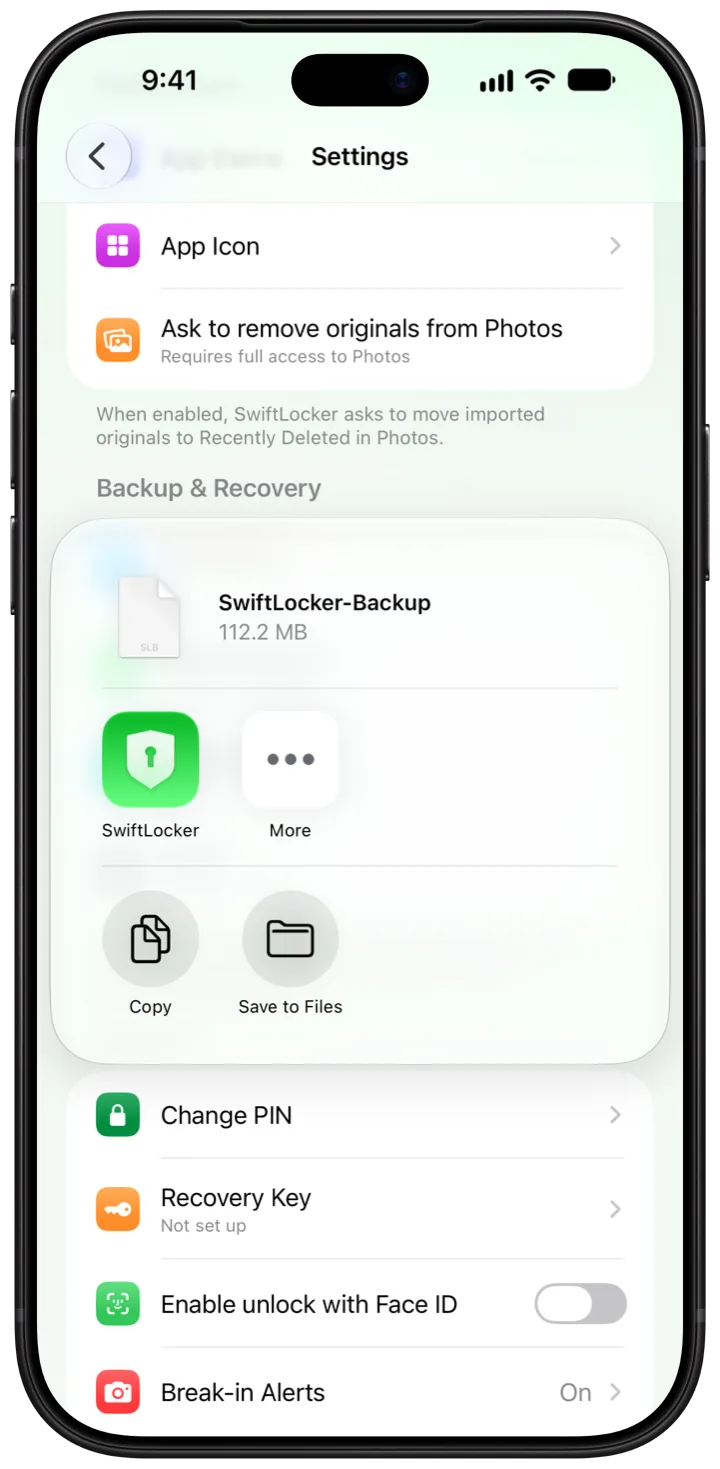
- Keys that stay yours. The keys live in your iPhone's Keychain, with a copy in iCloud Keychain for a new iPhone. A recovery key in Settings › Security › Recovery Key opens your vault if iCloud Keychain is off.
- No account. Sync uses the iCloud of the Apple Account on your device. There's nothing to sign up for.
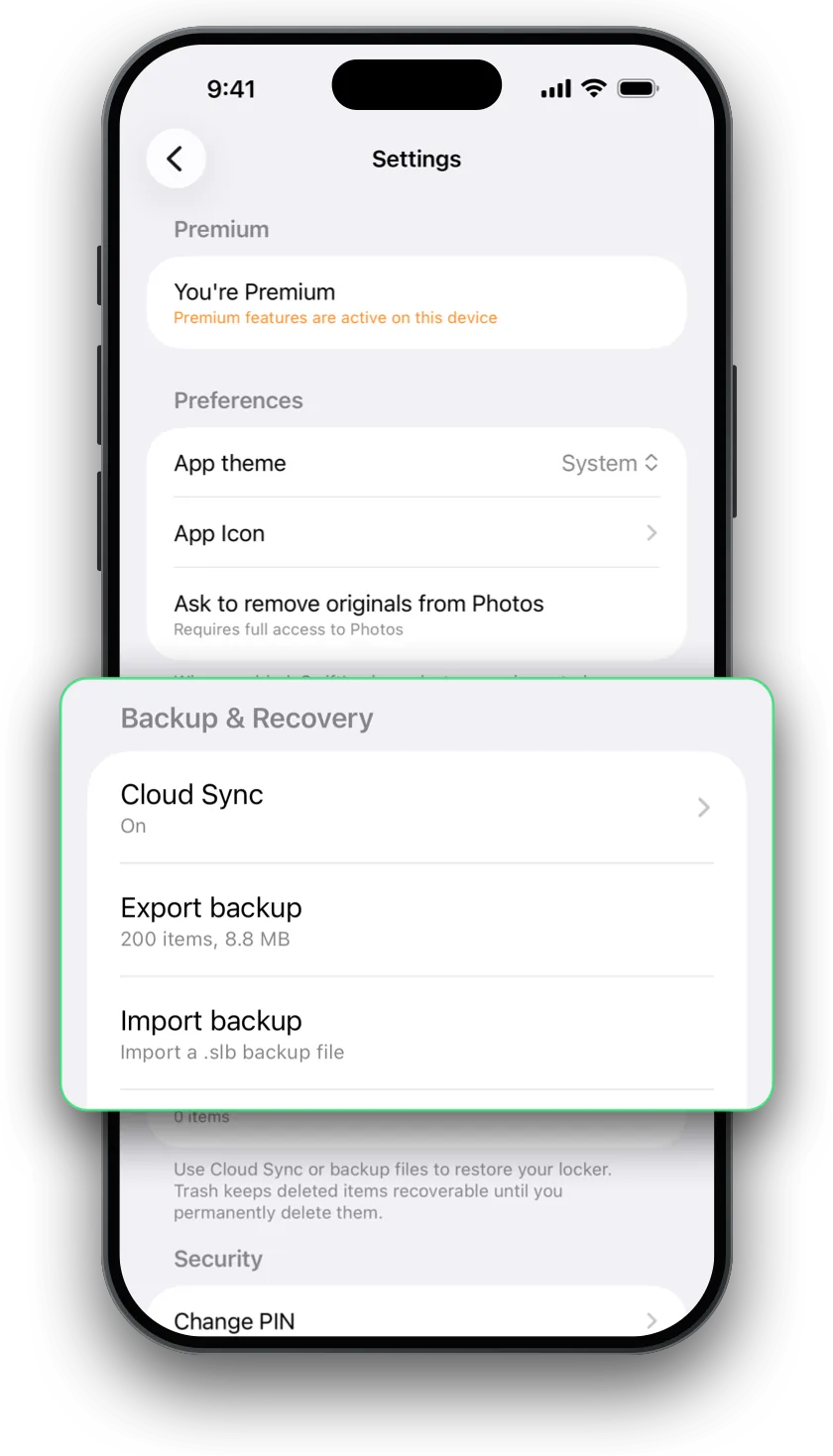
- A second copy. With Settings › Export backup, save a password-protected backup file to Files or your Mac. Bring it back with Import backup. Backups are part of Premium too.
Questions
Can anyone else see my photos in iCloud?
No. Every file is encrypted on your iPhone before it uploads, and its details go up end-to-end encrypted. The keys stay in your Keychain and iCloud Keychain. We never receive your files.
Do I need Advanced Data Protection?
No. SwiftLocker encrypts your files itself before they upload, and their details use iCloud's end-to-end encrypted fields. That works with Advanced Data Protection on or off.
Do I need an account?
No. Sync uses the iCloud of the Apple Account on your device. Premium belongs to that Apple Account too, so you can restore it on your other devices.
Does it use my iCloud storage?
Yes. Your vault counts toward your iCloud storage. If iCloud is full, SwiftLocker tells you, so you can free up space.
What if I forget my PIN?
It can't be reset, by design. You'd erase SwiftLocker and start again, and your files come back from iCloud sync or a SwiftLocker backup.