 SwiftLocker
Scan documents and IDs into your vault
Some papers are too private for your photo library. SwiftLocker scans documents and IDs straight into your vault as a PDF. The pages never go to Photos. Their text is read on your iPhone, so search finds them at once. It's for anyone who keeps copies of IDs, contracts or letters on their phone. Scanning is free.
How it works
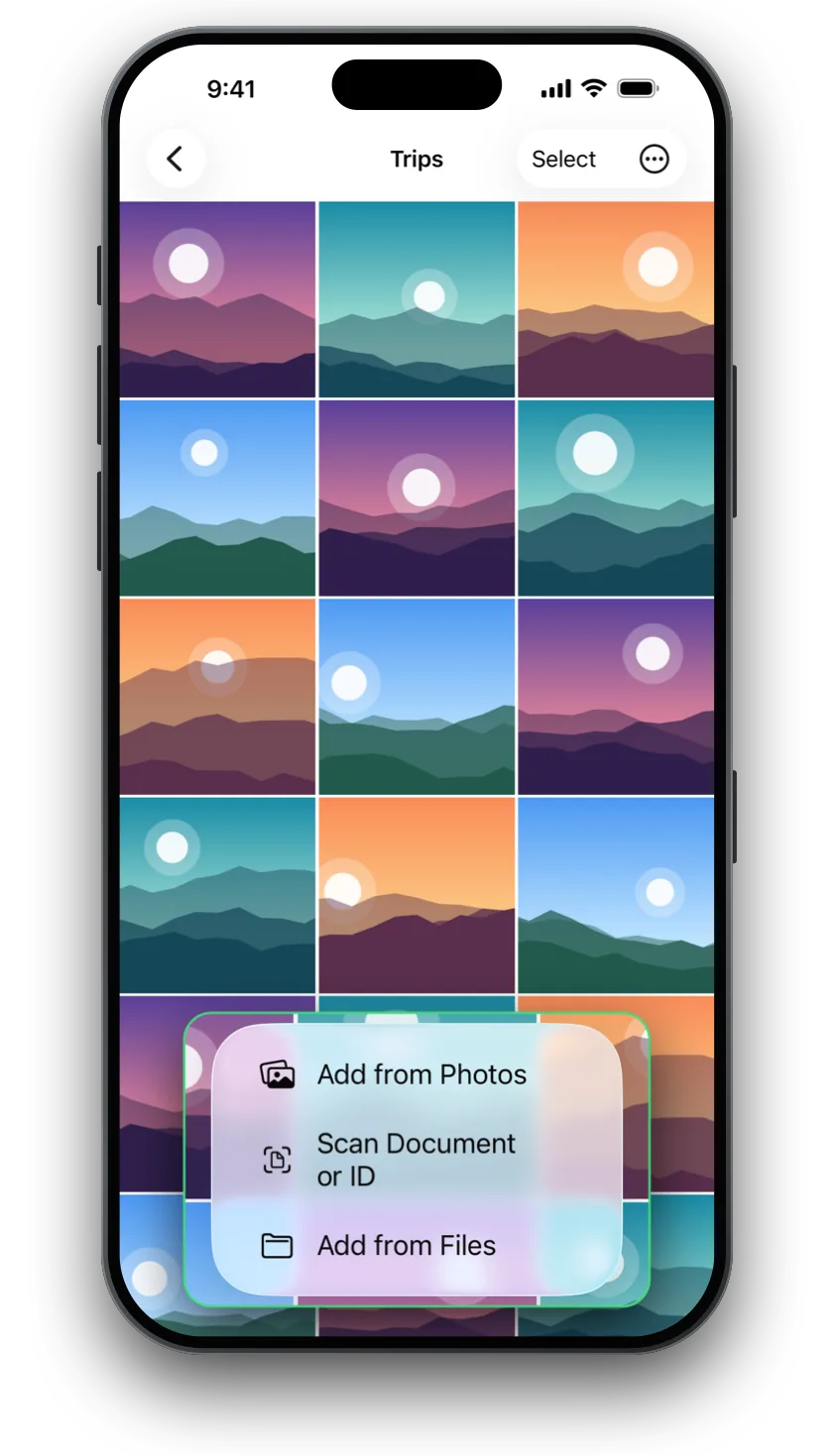
- Open a folder, such as Documents, and tap +.
- Tap Scan Document or ID and scan each page. Add as many as you need, then save.
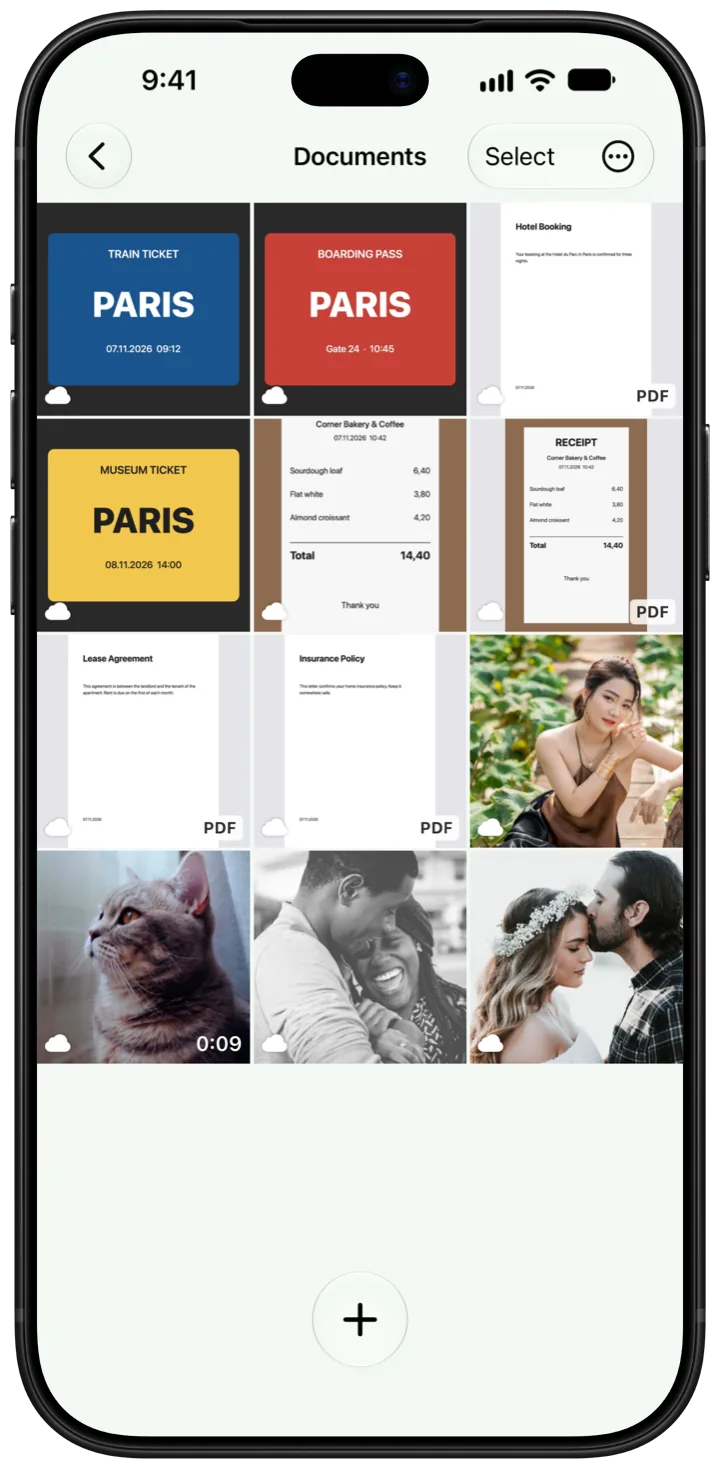
- SwiftLocker keeps the pages as one PDF in that folder, named Scan with the date and time. It's encrypted like everything else in your vault.
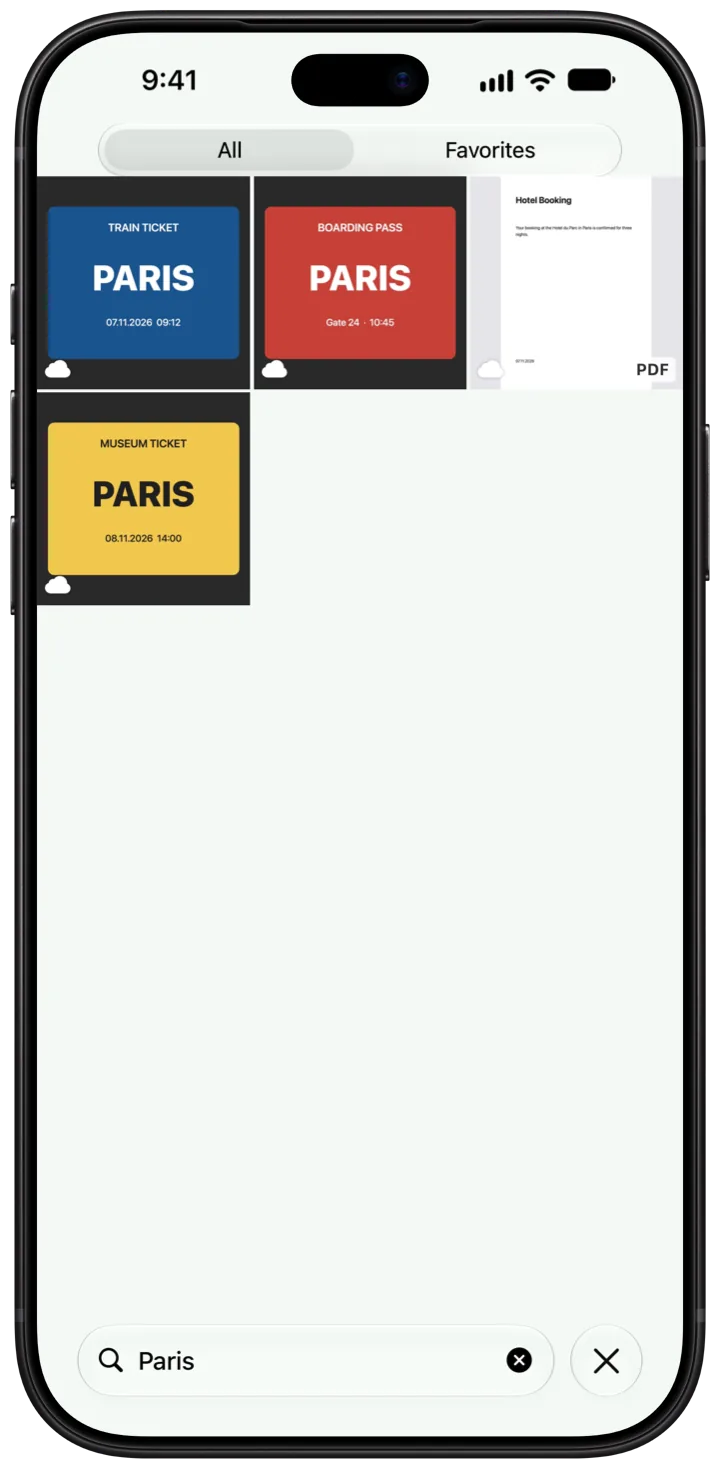
- Later, type a word from the page into the search on Home. SwiftLocker finds the scan by its text.
Good to know
- Never in Photos. Scans go straight into SwiftLocker. They never touch your photo library.
- Read on your device. The text of each page is read on your iPhone as the scan is saved.
- More than scans. Bring in PDFs and other files with + › Add from Files. Search finds the text in photos and PDFs too.
- Open in place. Tap a document in the viewer to open it in Quick Look. The temporary copy is deleted when you close it or SwiftLocker locks.
Questions
Do scans go to my photo library?
No. Each scan is kept as a PDF in SwiftLocker, encrypted on your device. It never goes to Photos.
Can I scan an ID?
Yes. Use Scan Document or ID, the same way as for any document. The scan stays in your vault.
Can I search the text in a scan?
Yes. The text is read on your iPhone as the scan is saved, so search finds it at once.
Can I add PDFs I already have?
Yes. Tap + › Add from Files. PDFs and other documents are encrypted like your photos.
Is scanning free?
Yes. Document and ID scanning, search, Trash and Find Duplicates are free for everyone.